Compliance reports
Your agent can produce two reports for an auditor. Both are read-only: they change nothing, and neither is a certification. They report the technical controls. The rest of a compliance programme stays with your organisation, and the reports list it so the picture is complete.
Run both from the agent’s folder. They open the agent’s sealed records, so only the owner can run
them. On macOS the binary is hexaeight-agent-osx-arm64.
The compliance report
Section titled “The compliance report”cd ~/heia-agent./hexaeight-agent-linux-x64 hexaeight-agent.json --compliance-info allInstead of all, name one framework: soc2, hipaa, eu-ai-act or dpdpa (India’s DPDP Act
2023). Add --json for a machine-readable copy.
Real output from a running agent. The host name and the email addresses are blurred; nothing else is changed.
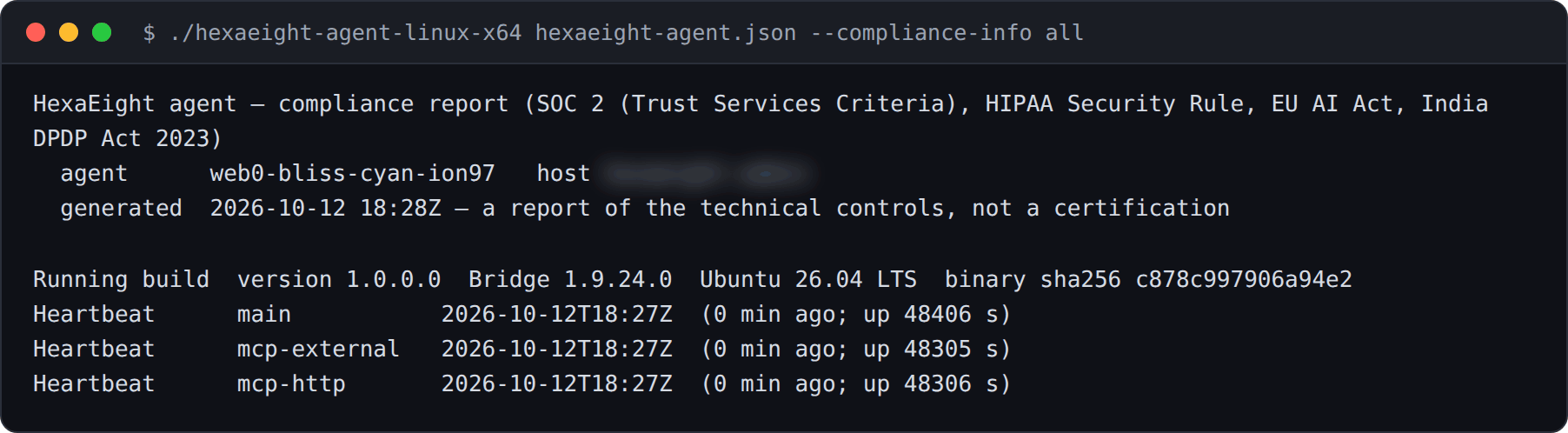
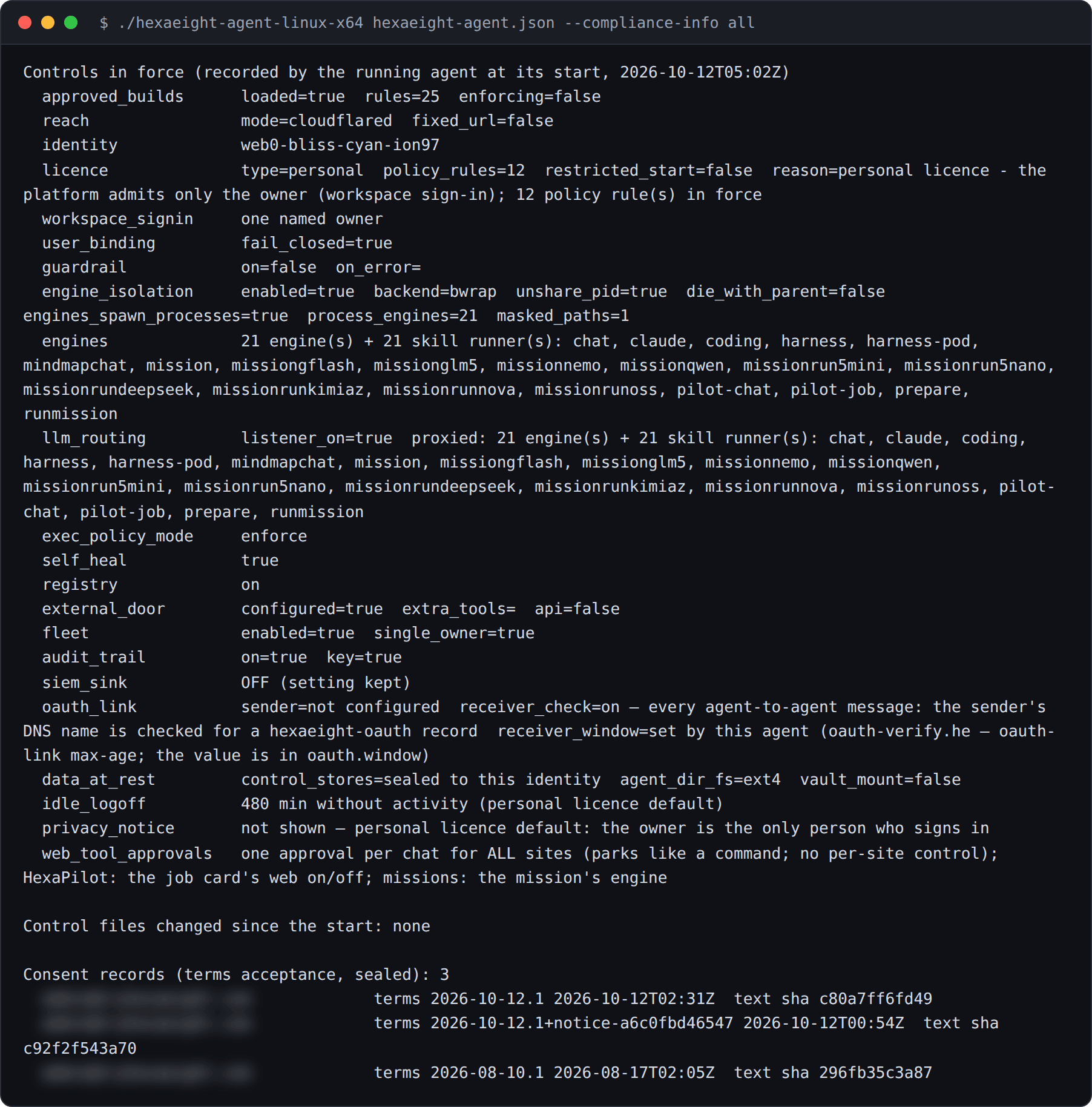
It reports what is in force, not what a file says. The figures come from the audit trail, from what the running agent recorded about itself:
- The running build: its version and the SHA-256 of the binary, so you can match it to a published release
- Heartbeats: when each of the agent’s processes was last seen
- Controls in force: sign-in, policy, approved builds, engine isolation, the SIEM sink, the idle sign-out, the privacy notice and more, as recorded at the agent’s last start
- Changes since then: every settings or policy file that changed, with its old and new hash
- The last 30 days: turns, approvals, commands, refusals, consents and withdrawals, idle sign-outs and security events
- Consent records: who accepted which terms and when, with a hash of the exact words
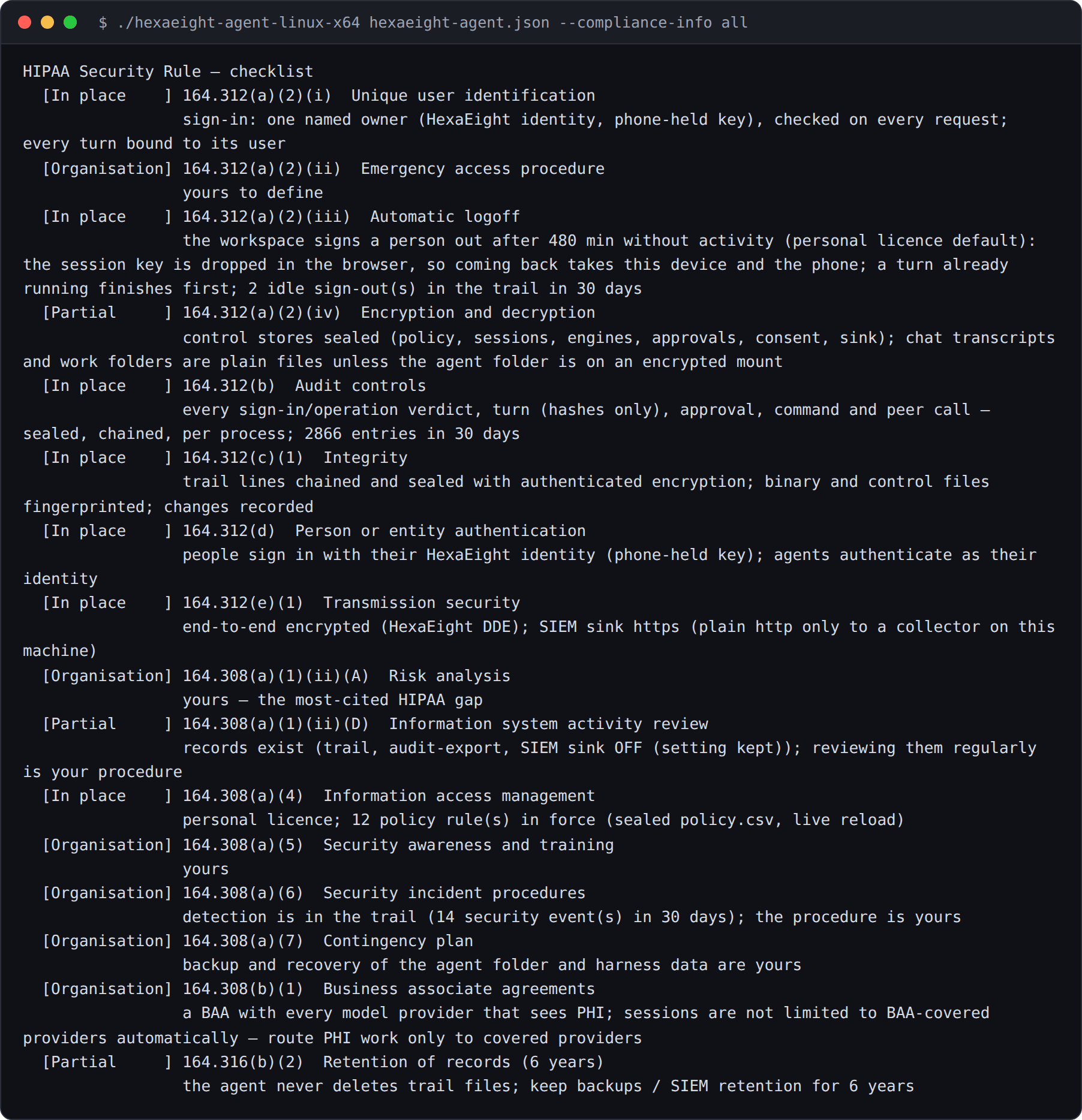
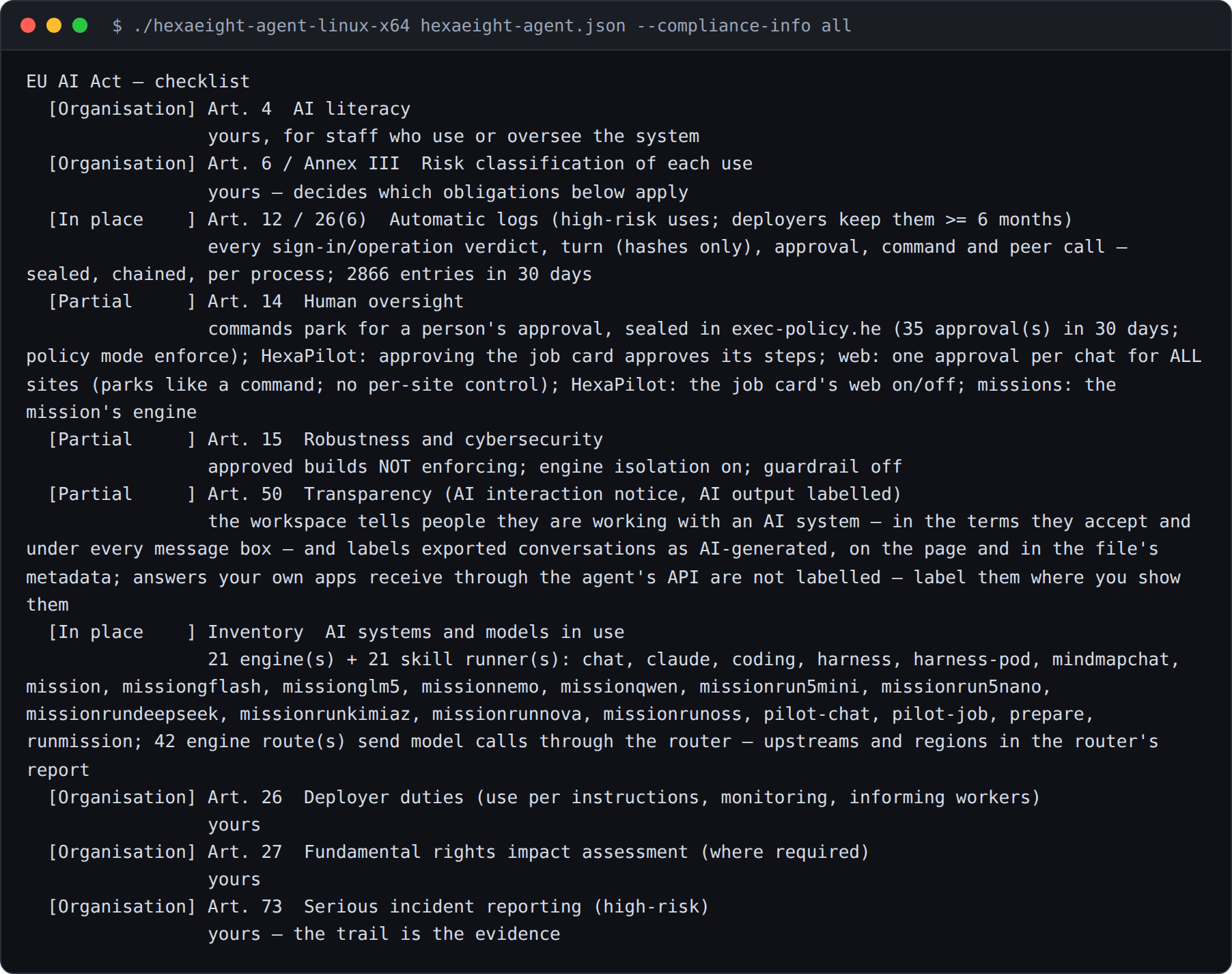
Then comes a checklist for each framework. Every line gives its evidence and one of these statuses:
| Status | Meaning |
|---|---|
| In place | the control is on, and the evidence shows it |
| Partial | part of it is covered; the evidence says which part is not |
| Gap | this agent does not cover it today |
| Organisation | your own obligation, such as a risk analysis, training, a contract or a procedure |
| N/A | it does not arise for this agent, for example consent withdrawal on a personal licence that only its owner uses |
Two of the checklists from the same report:
Start the agent at least once with the current release before running the report. Until then, the report says there is no record of controls yet.
The access review
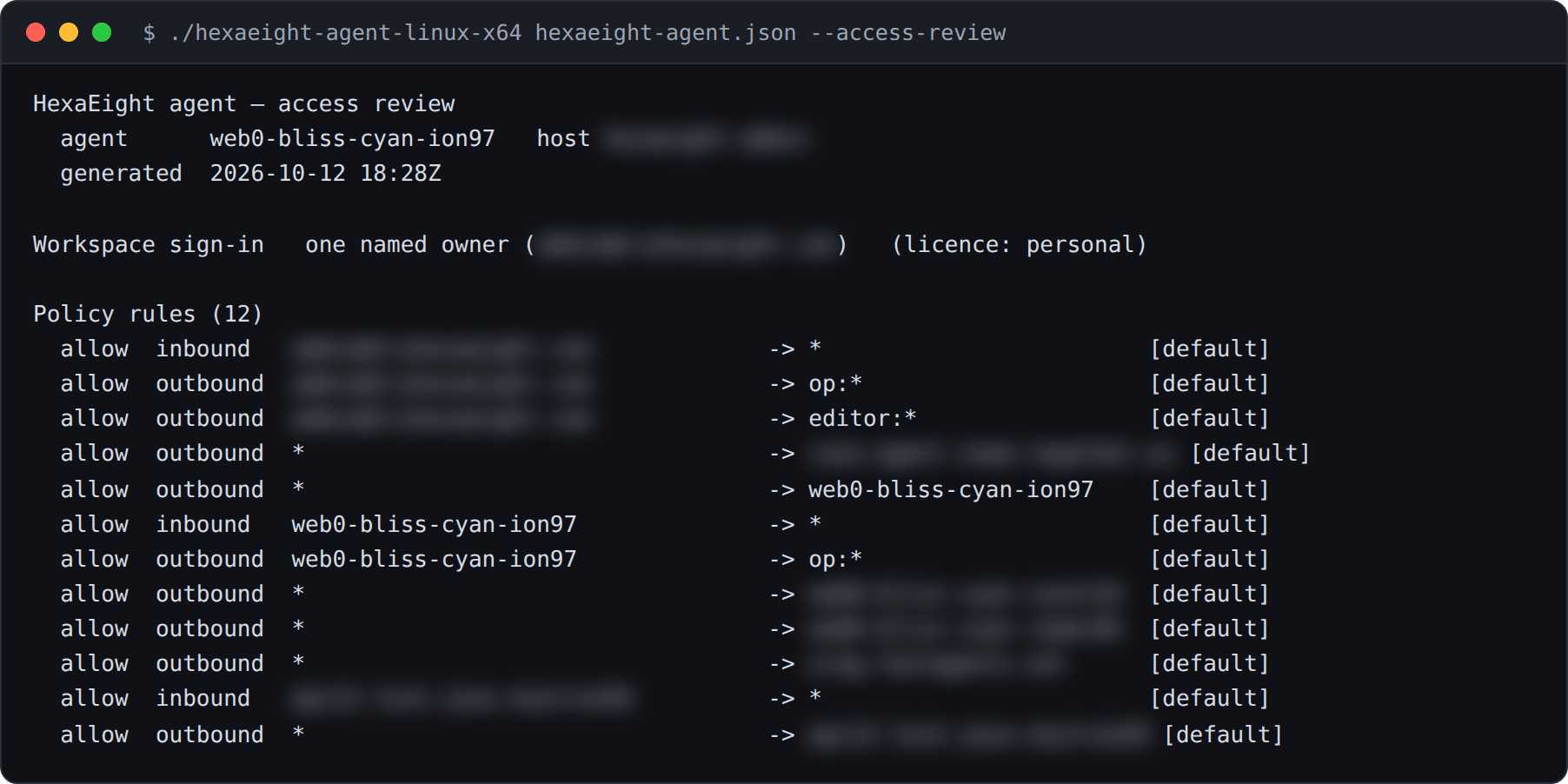
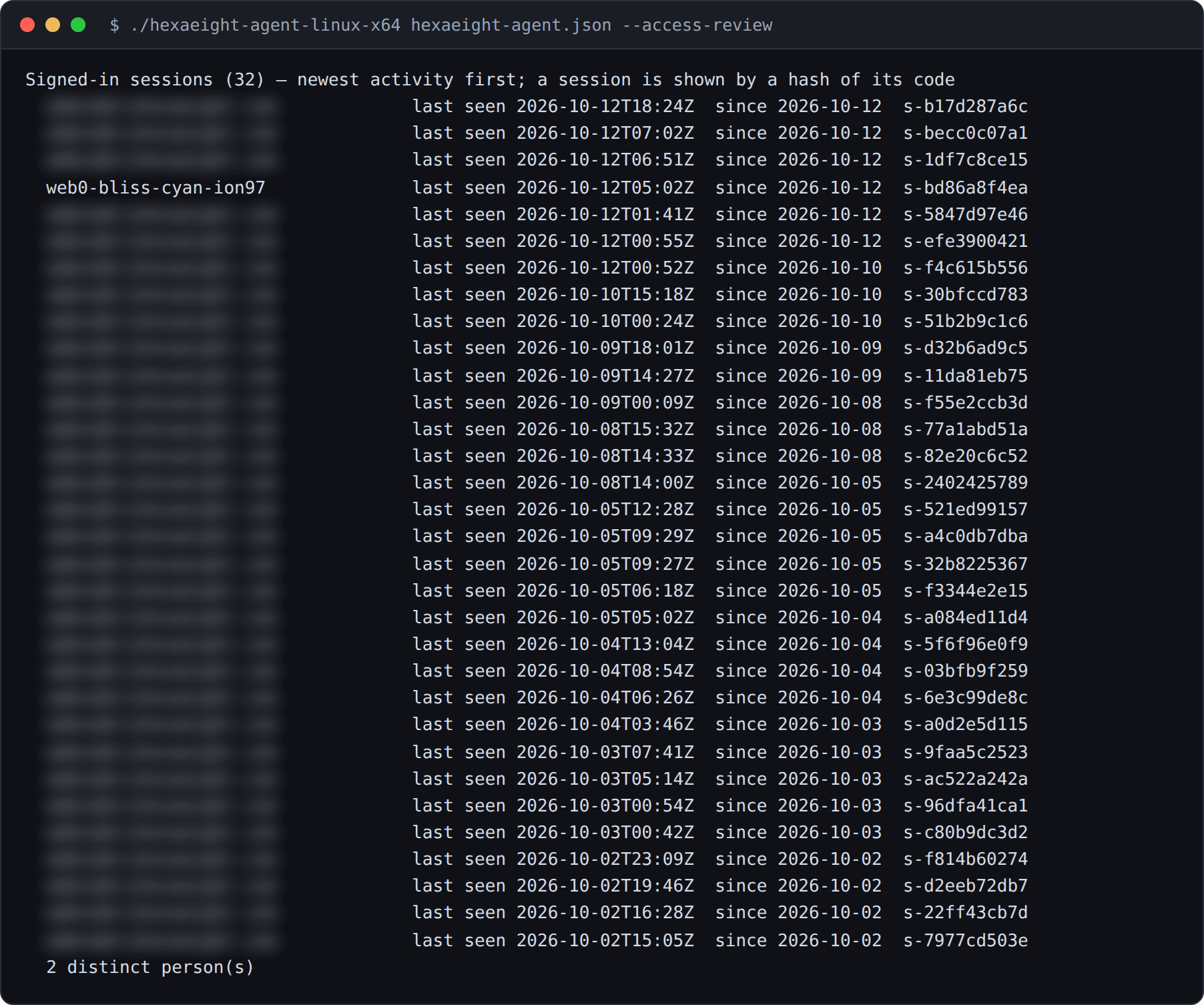
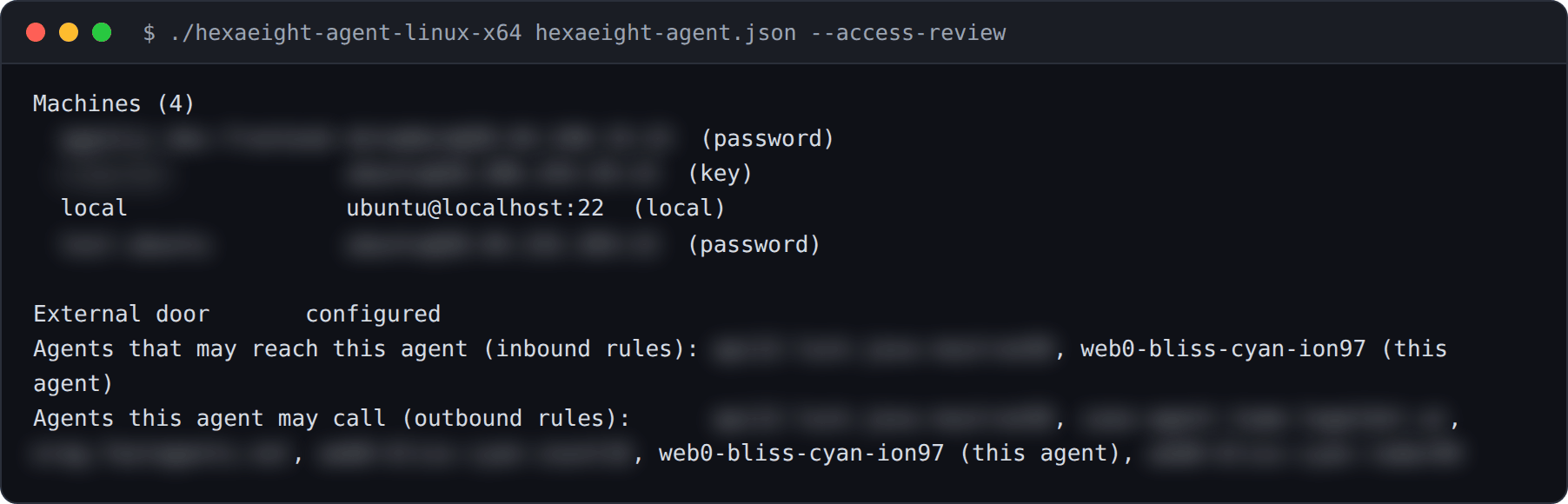
Section titled “The access review”./hexaeight-agent-linux-x64 hexaeight-agent.json --access-reviewIt lists who and what can reach this agent:
- who may sign in to the workspace
- every policy rule
- the approved builds, and whether only those may connect
- every signed-in session, newest activity first, and how many distinct people they belong to. Each session is shown by a short hash: never a code, a login token or a key.
- consent records, including withdrawals
- command approvals, and every standing (“always”) approval
- the machines this agent can reach
- whether other software can call it, and which agents may reach it or be called by it
Add --json for a machine-readable copy.
From a running agent, with email addresses, other agents’ names, machines and their addresses blurred:
To remove someone’s access, remove each of their policy rules with --remove-rule, written exactly as
it was added, and run the review again to confirm:
See Policy.
The router’s report
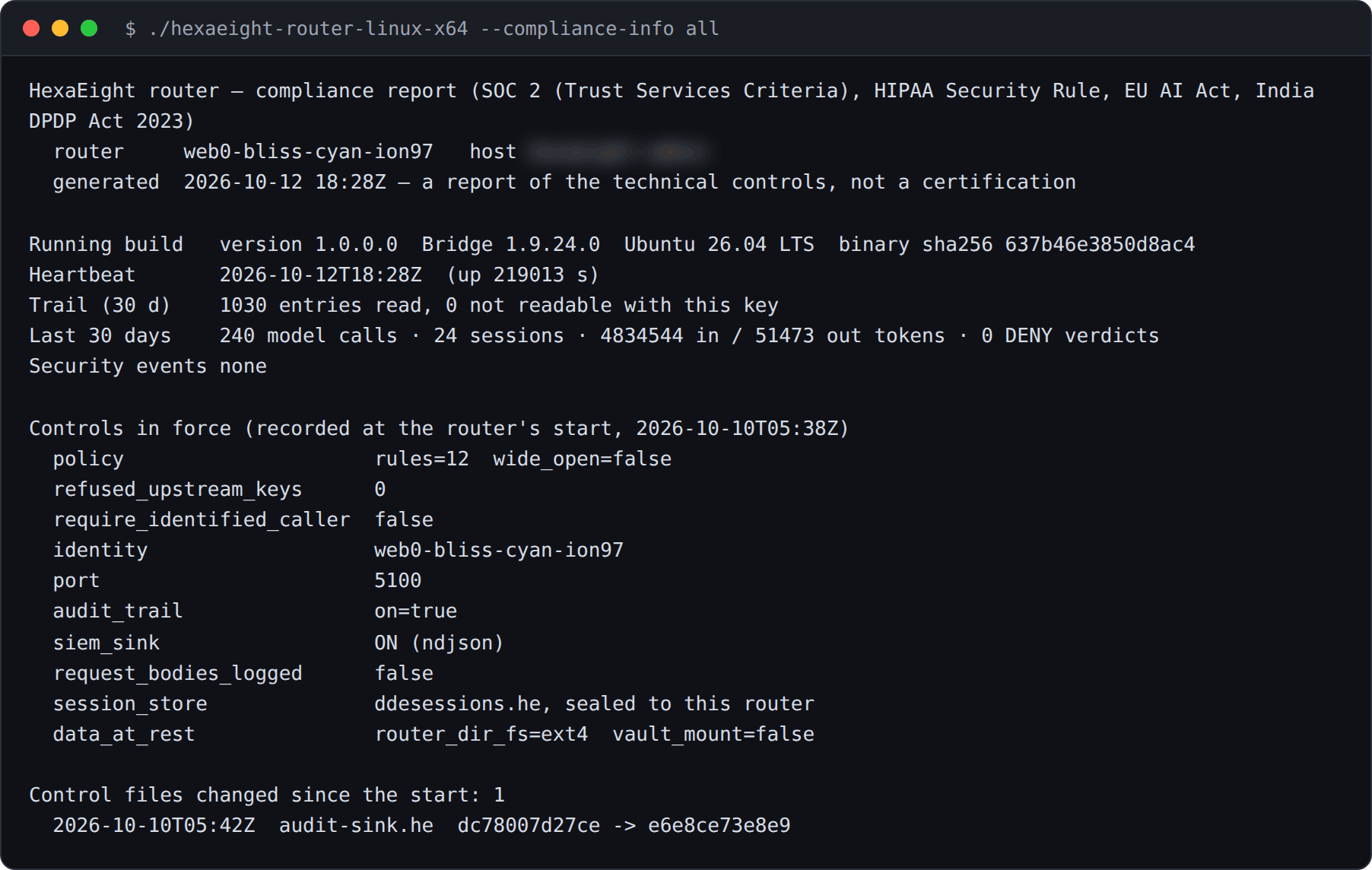
Section titled “The router’s report”The router has its own report, run from the router’s folder:
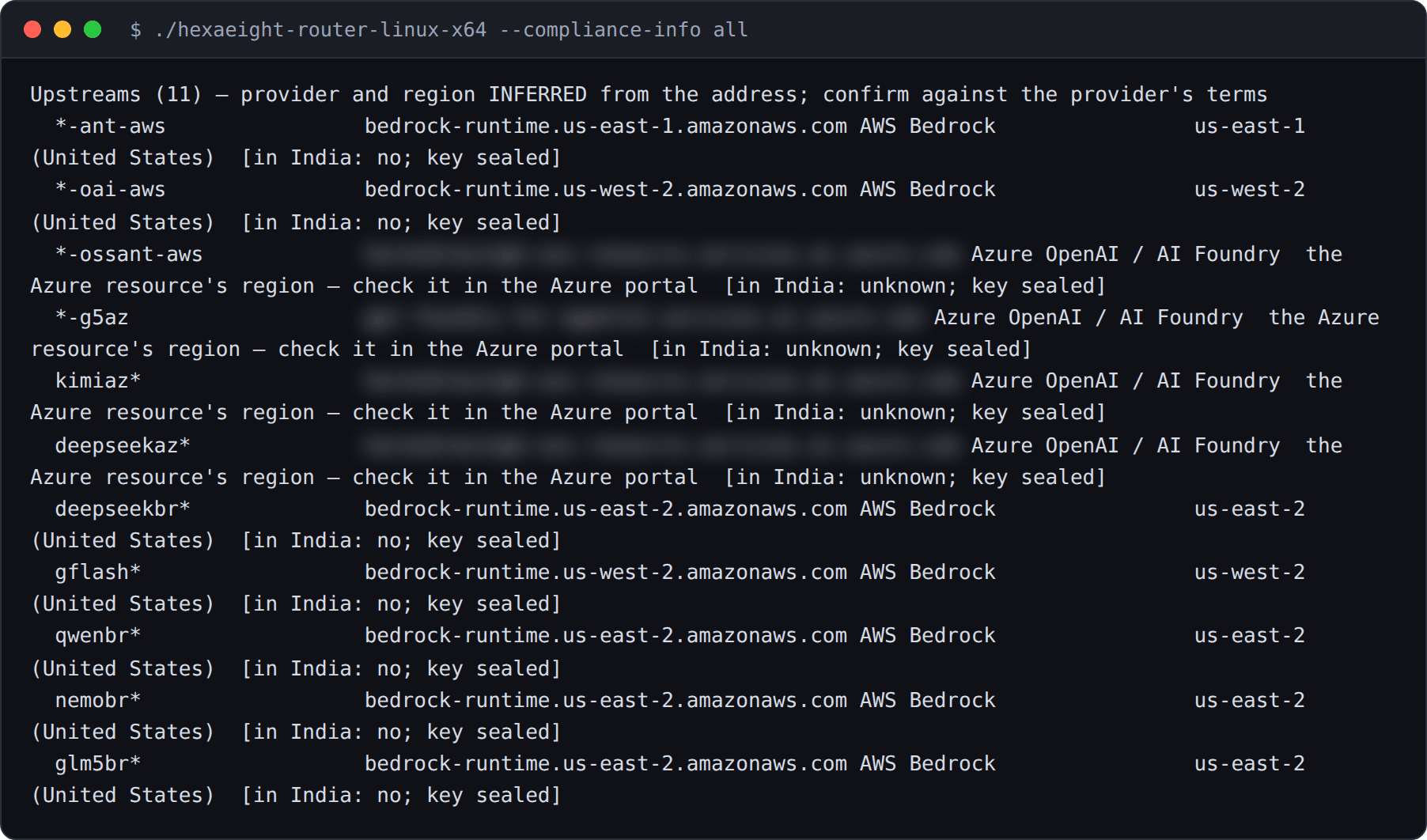
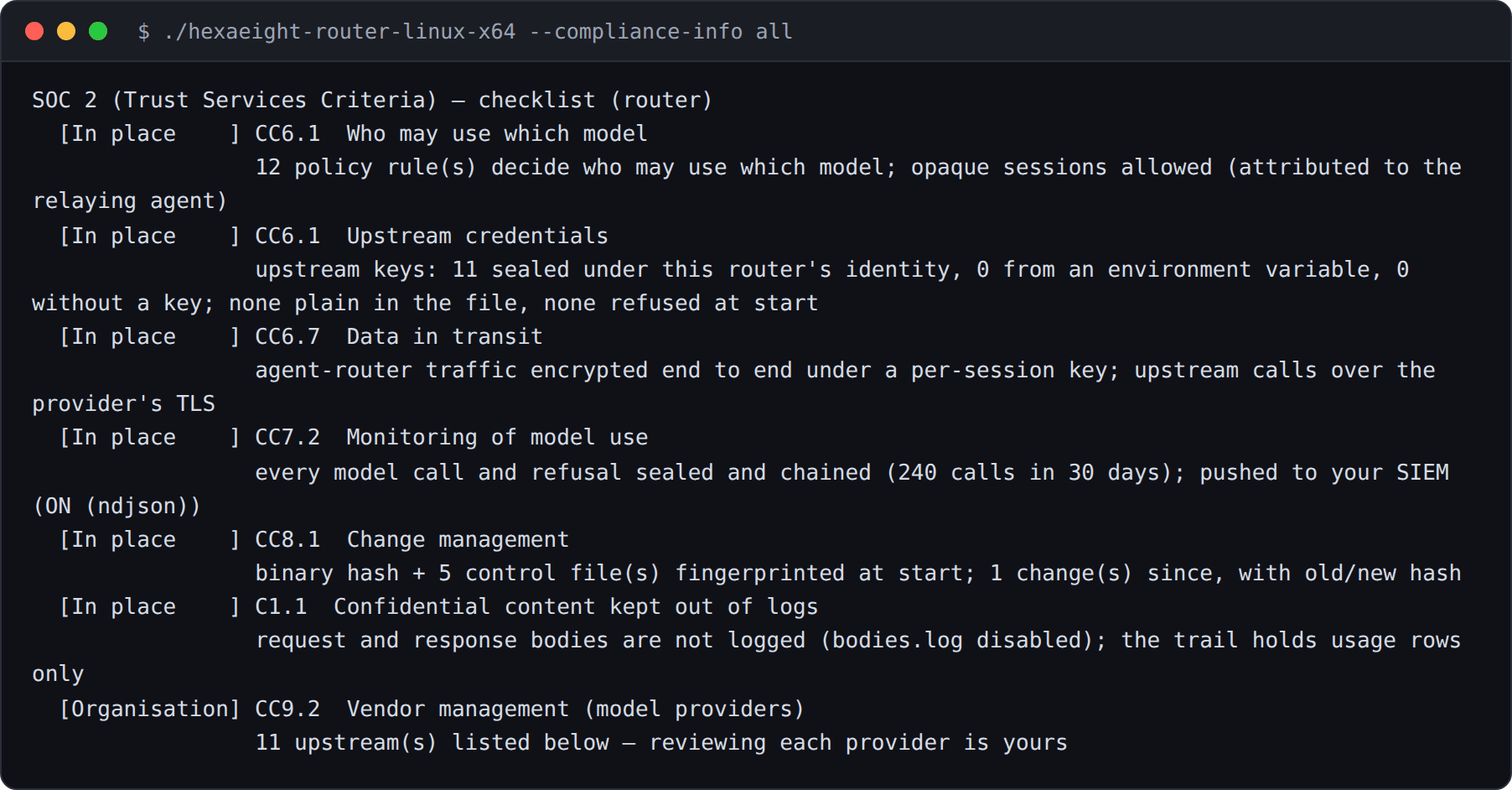
cd ~/heia-router./hexaeight-router-linux-x64 --compliance-info allIt shows the same kind of record for the router: its build, heartbeat, controls, changes, model calls and tokens over the last 30 days. It also lists every model provider in its configuration with the provider and region inferred from the address, so you can answer where data is sent. Confirm each one against the provider’s terms. The report shows how each provider is reached, never its key.
From a running router, with the host name and private provider resource names blurred:
- Audit trail: export it, verify it, and send it to your SIEM
- Admin settings: the controls an admin sets
- Compliance: what the design provides, and what remains yours