1 · Your identity starts on your phone
Before any software is installed, the identity has to exist — and it does not start on the machine you are going to run an agent on. It starts on your phone.
Read that chain once, because the rest of the product follows from it. An agent is not an account you create. It is a resource assigned to a person’s vault, and that is what lets anyone it talks to know there is a real, provable person behind it.
1 · Install the Authenticator
Section titled “1 · Install the Authenticator”
Search for HexaEight Authenticator in the App Store or Google Play.
This is not a second factor bolted onto a password. It is where your identity is created and held — the private half never leaves the phone, and activation on any machine is approved here.
There is no way to complete the next step without it.
2 · Create an email identity
Section titled “2 · Create an email identity”Two words, one thing. The app titles the list Identities, and the button says + New Email Vault. Older material calls it a vault. They are the same: an email address, protected by a password, that holds your resources.
Enter your email address. This is what your identity is derived from, and everything else follows from it.
You then verify the address and set a vault password. That password derives a login token and is then discarded — it is not stored, and not sent anywhere.
A display name is optional, and only a label for your own use.
The vault is you. People have vaults; agents do not. That asymmetry is deliberate and it is why agents are never identified by an email address — see Identity.
3 · Add a resource — this is what becomes an agent
Section titled “3 · Add a resource — this is what becomes an agent”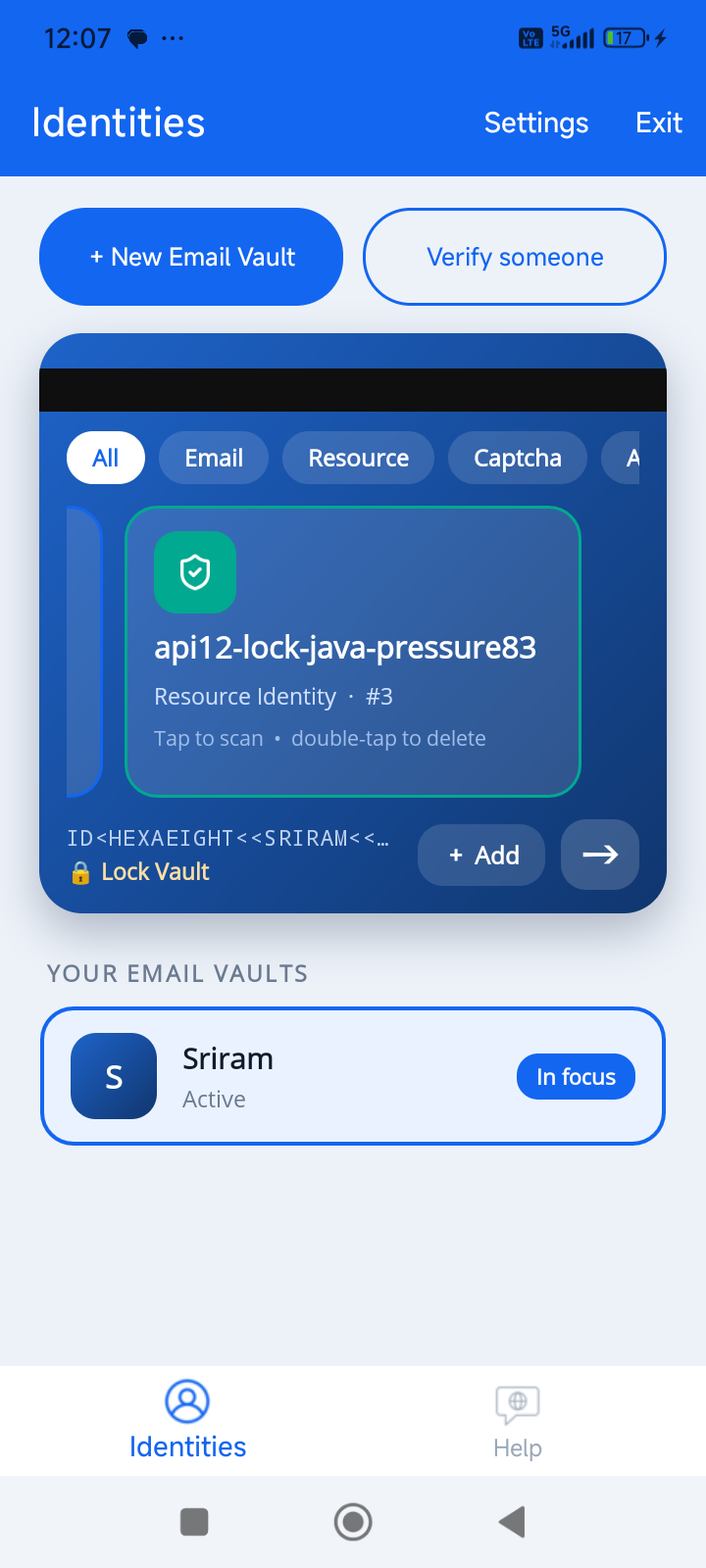
A vault holds resources. Each resource is an identity you can run an agent under, and it is assigned to your vault — so the agent always has a person behind it.
There are two kinds, and the choice matters later.
Generic resource — the name is generated for you, like api12-lock-java-pressure83. Nothing to
configure, nothing to prove. Use it when the name does not matter to whoever is calling.
Domain resource — a name on a domain you control, like agent01.yourcompany.com.
Your identity’s email must be on that domain: [email protected] can create
agent01.yourcompany.com, and an address on any other domain cannot — the platform refuses.
Adding it gives you a DNS TXT record to publish. That record is the proof.
The record is checked when a licence is granted, not when you create the resource. You can add the resource without publishing it — it simply never becomes a working identity. No record, no licence.
Use a domain resource when the name matters to whoever is calling you, because it is a name they can recognise and check.
What you have now
Section titled “What you have now”An identity on your phone, and at least one resource under it. Nothing is installed yet, and no machine is involved.
The next step binds that resource to a machine and starts an agent under it. When it shows you a QR code, this app is what approves it.
Next: 2 · Install your agent identity
Full screen-by-screen detail, including agent tokens and approving a licence, is in The Authenticator.